
⚡ BIG UPDATE 2.0 — GOOGLE SEARCH CONSOLE + AUTHOR PERFORMANCE
The Discover & Search Console OS for WordPress Publishers
Editorial + Discover readiness scores, real Google Search Console traffic per writer, semantic JSON-LD, and a full newsroom workflow — Gutenberg and Classic Editor.
✅ No credit card required for Free • 🔒 30-day money-back guarantee on PRO
2,000+
Active Installs
50+
Newsrooms Worldwide
★ 5.0
WordPress.org Rating
20+
Countries Supported
Trusted by High-Traffic Newsrooms




THE PROBLEM
Your newsroom is losing traffic every single day
While your team juggles 5+ tools just to publish one story, your competitors are already on Google Discover.
Tab Hell
Google Trends in one tab, Docs in another, SEO plugin on the side, Slack for assignments. Your team wastes 2+ hours daily just context-switching.
Slow Publishing
Manual formatting, fact-checking links, building internal connections — your best reporters spend more time on WordPress than on actual journalism.
Invisible to Google
Missing Schema markup, broken internal links, and no Story Clusters means Google Discover doesn't even know your content exists.
THE SOLUTION
One plugin replaces your entire editorial stack
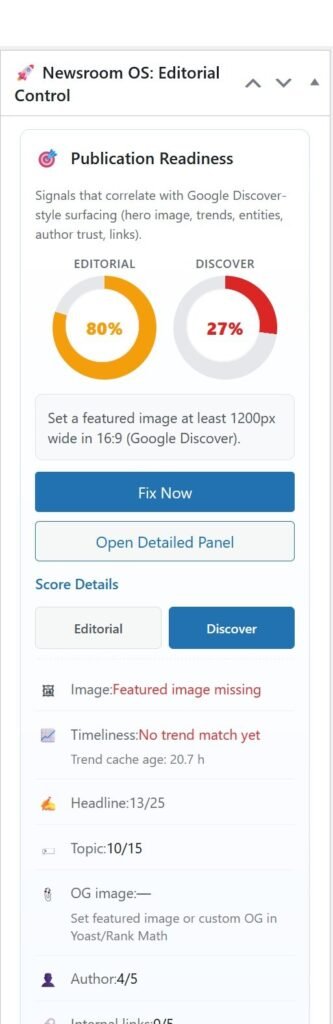
- Publication Readiness: Twin Editorial + Discover gauges with Next Best Action in the editor.
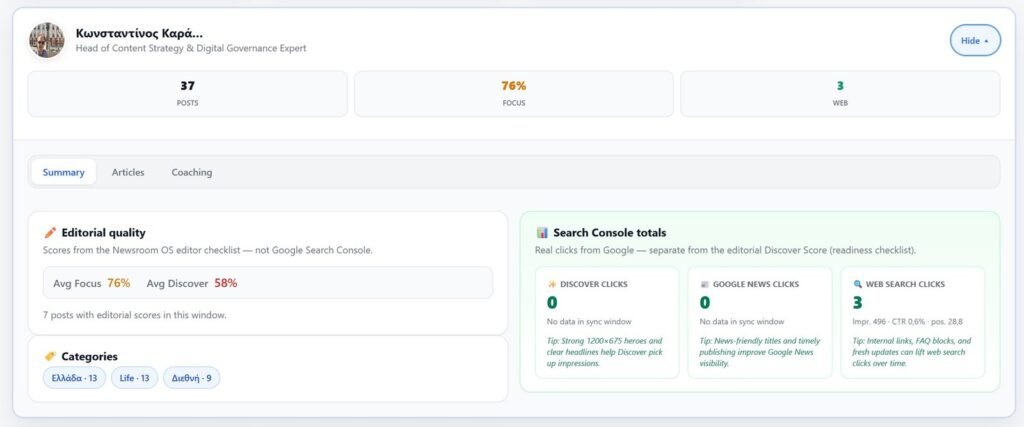
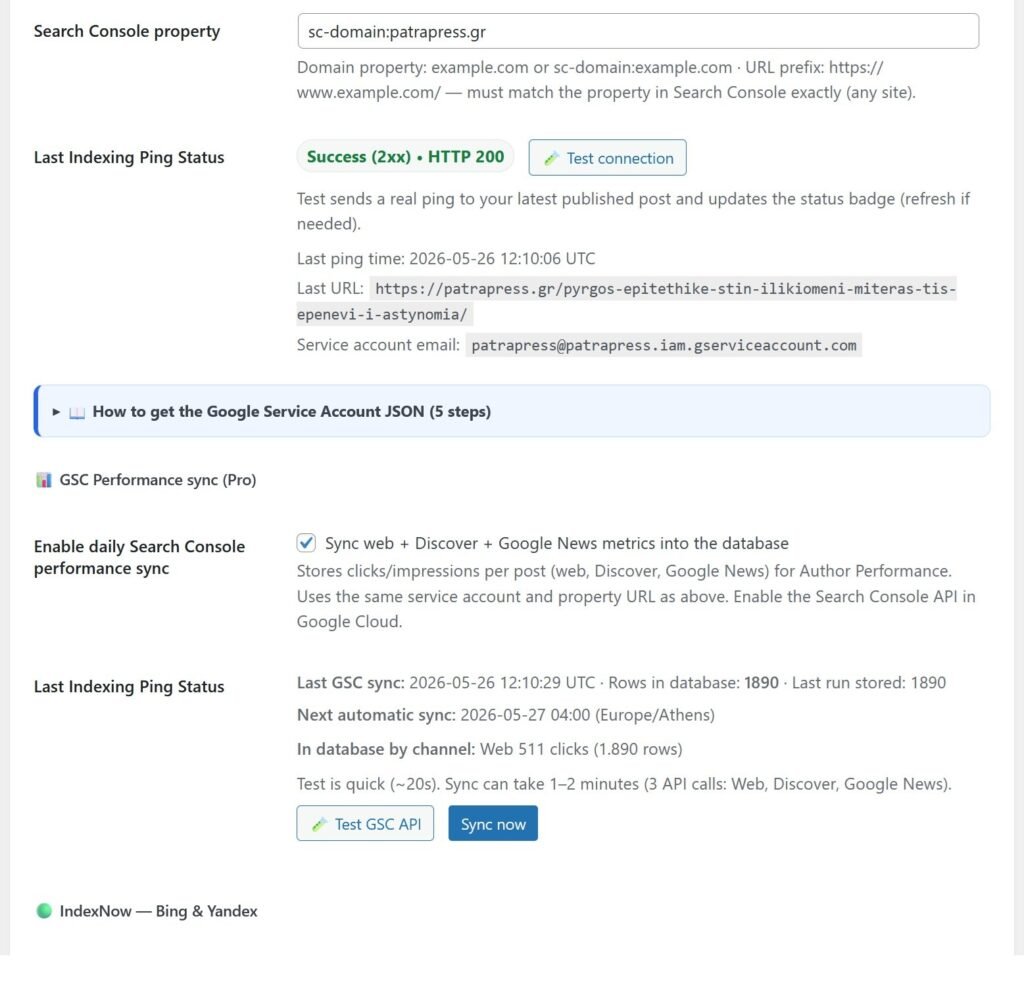
- Search Console (2.0): Real Discover, Google News & web clicks per author — synced to WordPress.
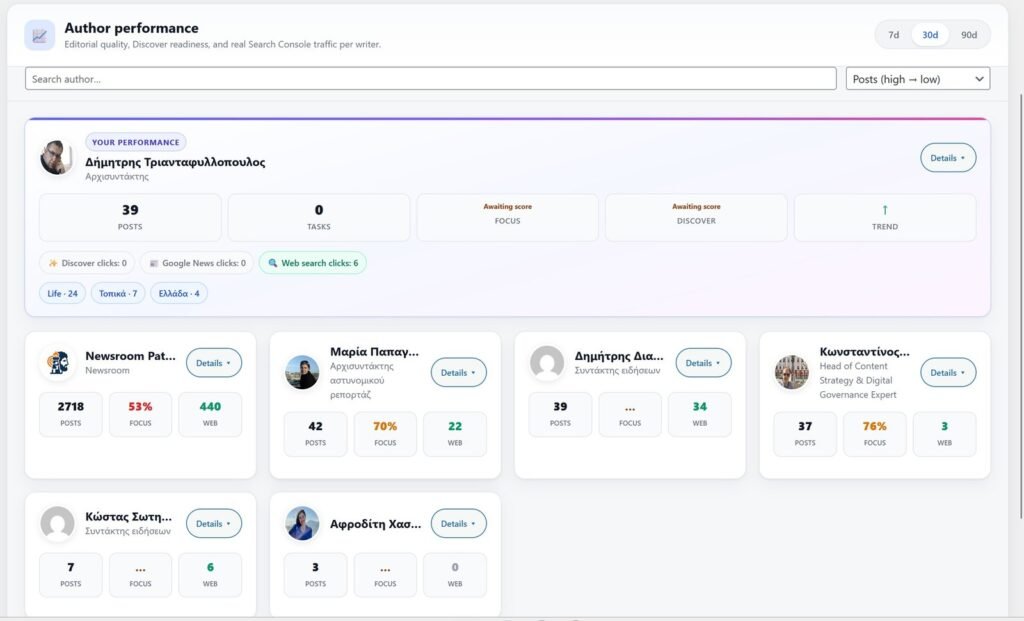
- Author Performance 2.0: Summary, Articles & Coaching tabs — coach writers on quality and traffic.
- Schema Engine: NewsArticle / LiveBlogPosting JSON-LD with entities & E-E-A-T.
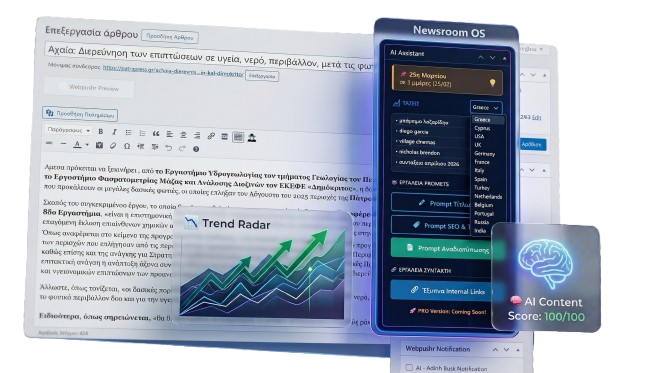
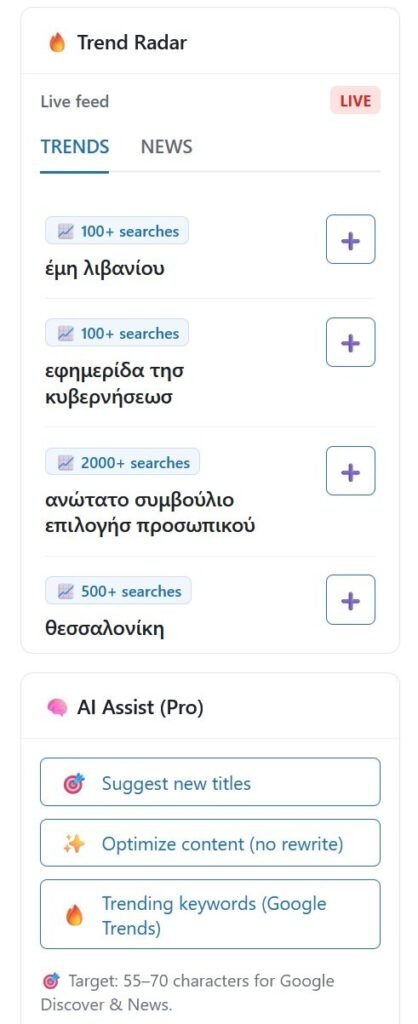
- Trend Radar: Google Trends & News in the sidebar — no tab switching.
- Editorial Control: Tasks, deadlines, My Inbox, and chief dashboard in one place.
WHAT’S NEW IN 2.0
Big Update 2.0 — built for editors who measure outcomes.
Google Search Console (NEW)
Sync Discover, Google News, and web search clicks into WordPress. Daily cron + manual sync. Data stays on your server.
Author Performance 2.0
Per-writer cards with GSC traffic, editorial Focus/Discover readiness, expandable Summary / Articles / Coaching tabs, and 7d–90d windows.
Discover Score + Breaking
Google-aligned Discover readiness checklist (hero 1200px+, 16:9, headline 55–70) plus Breaking news mode with LiveBlogPosting schema.
AI Assist (BYOK)
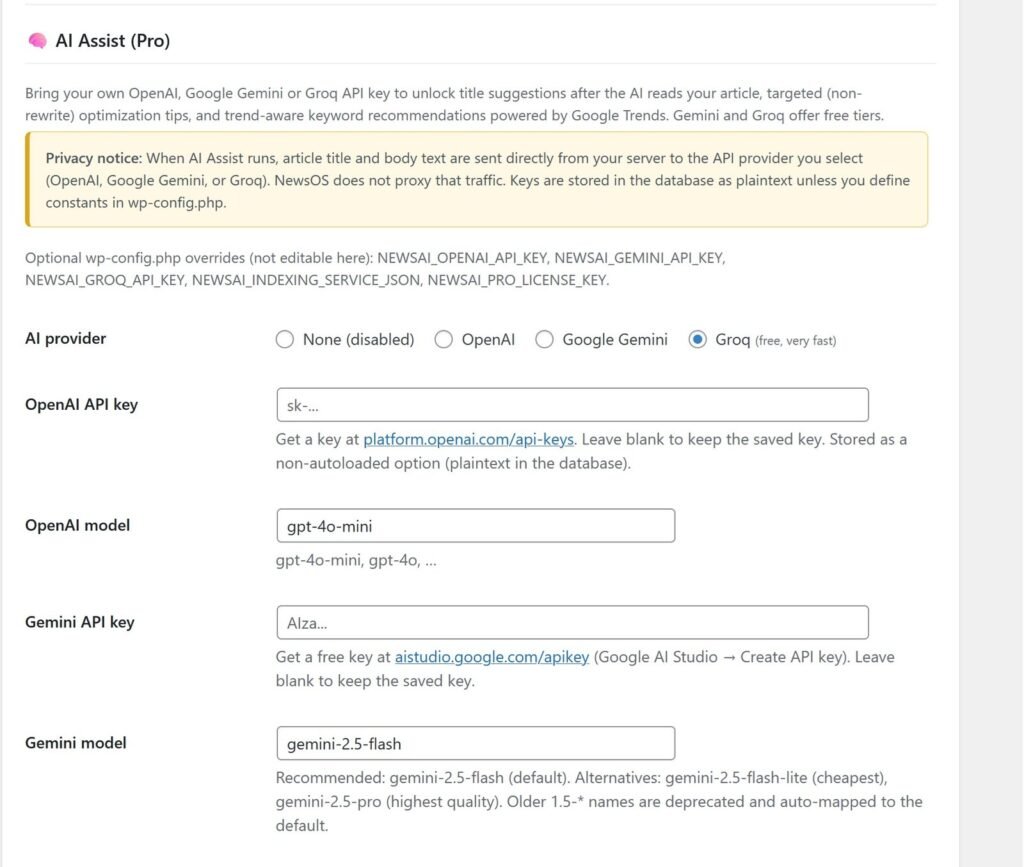
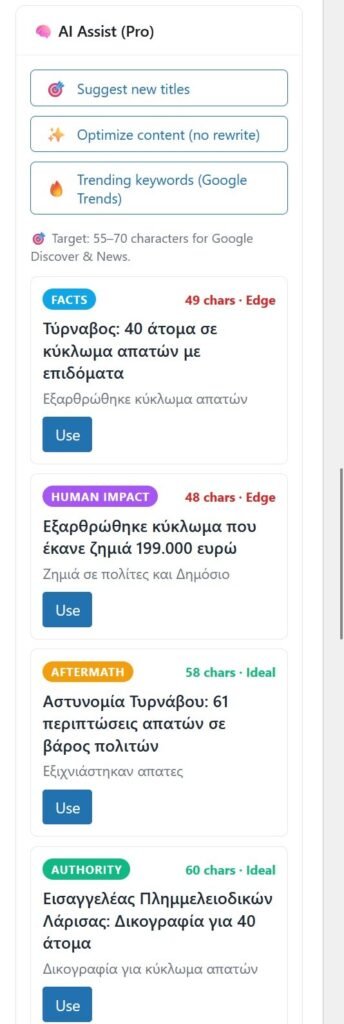
Discover-optimized titles, paragraph-level optimization, trend keywords, and AI Tag Match — OpenAI, Gemini, or Groq with your own API key.
SCREENSHOTS
See Newsroom OS 2.0 inside WordPress
Publication Readiness, Author Performance with Search Console, GSC settings, wizard, schema, and more — captured from a live install.
WATCH IT IN ACTION
See every feature live — no signup needed
Watch real walkthroughs of every NewsOS feature. These are recorded from an actual WordPress installation — not mockups.
1 — EDITORIAL DASHBOARD
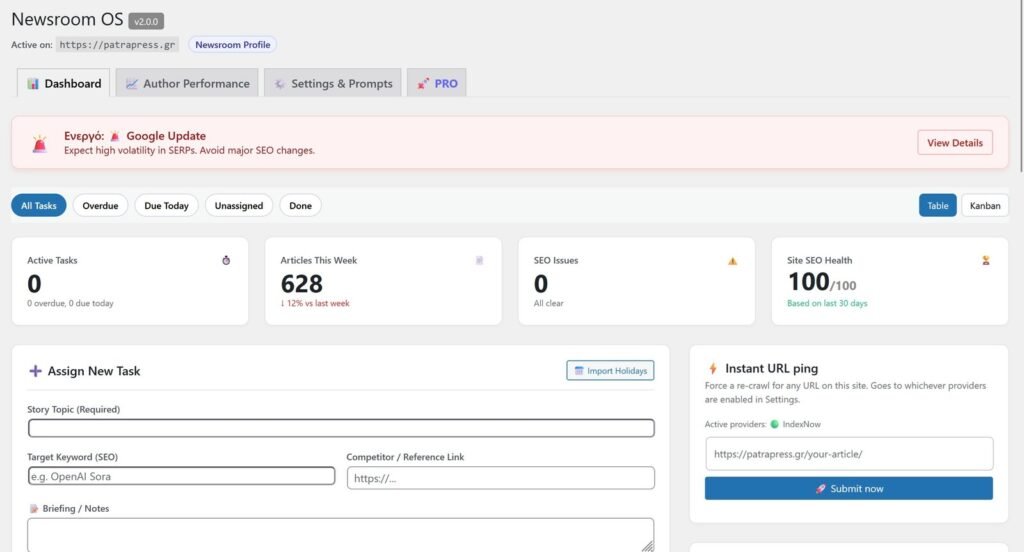
Command Center for your newsroom
See real-time metrics — active tasks, articles this week, SEO issues, and site health score. Create editorial tasks with deadlines, keywords, and briefings. Monitor Google Search Status and competitor RSS feeds.
2 — EDITOR SIDEBAR
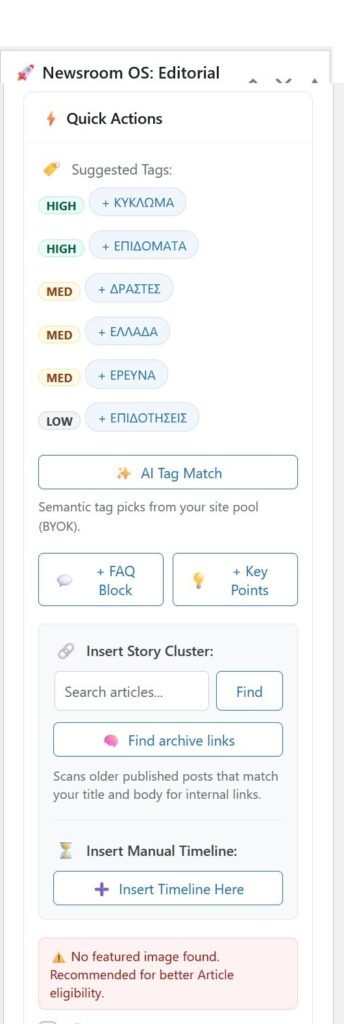
AI-powered writing assistant inside your editor
Real-time Publish Score, headline optimization, SEO checks, smart tag suggestions, AI-generated FAQ blocks, Story Timeline builder, and live Trend Radar — all without leaving the post editor.
3 — SCHEMA & SETUP
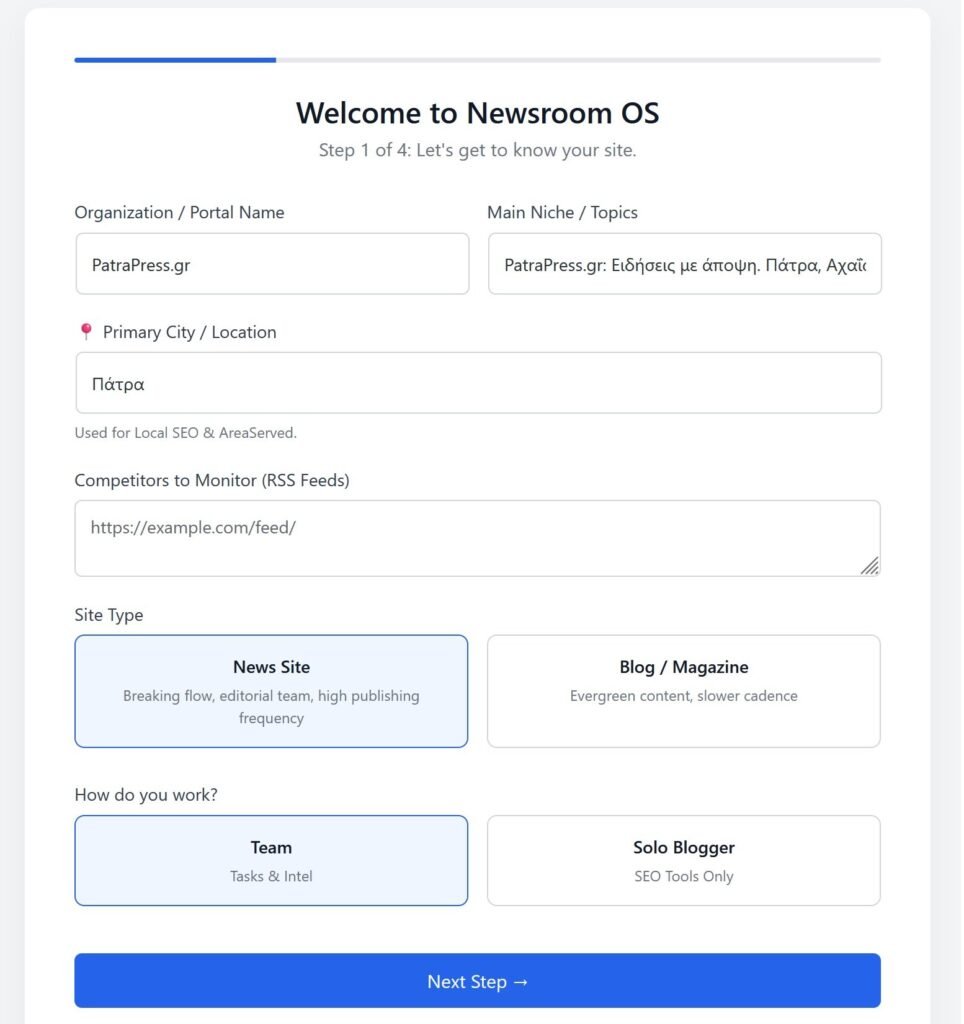
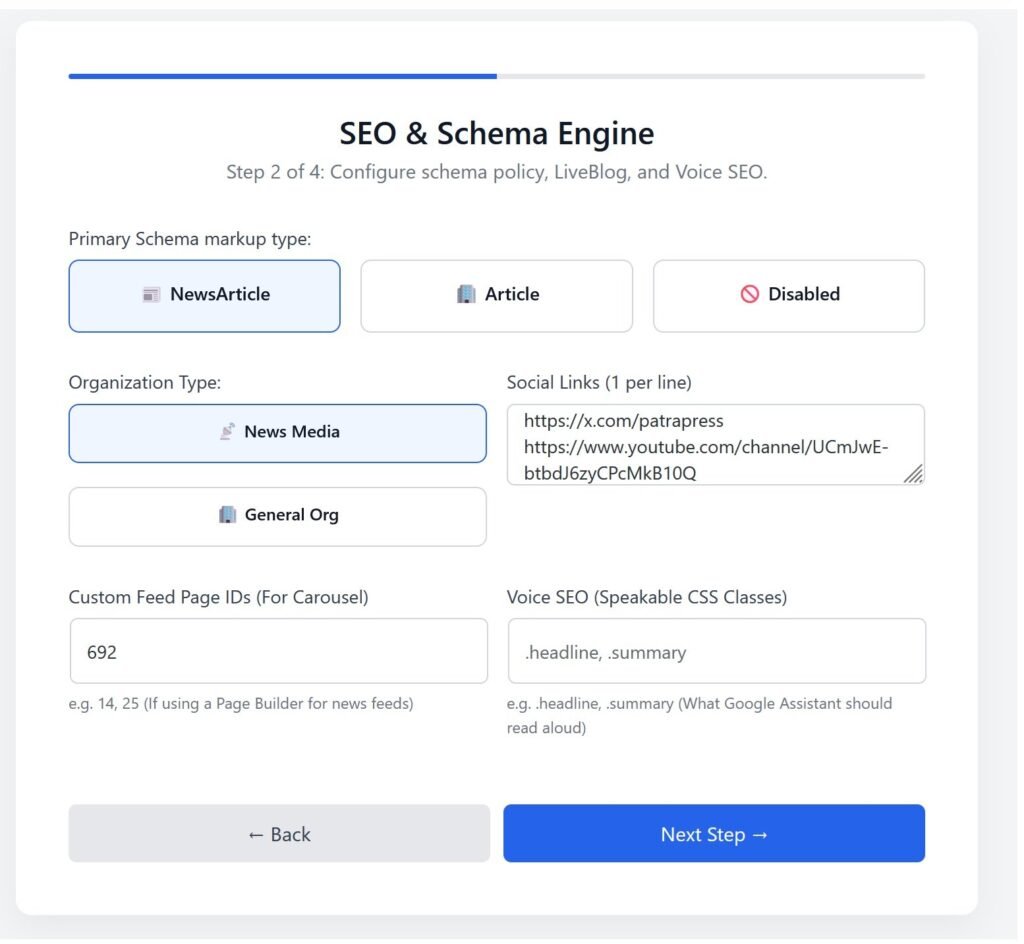
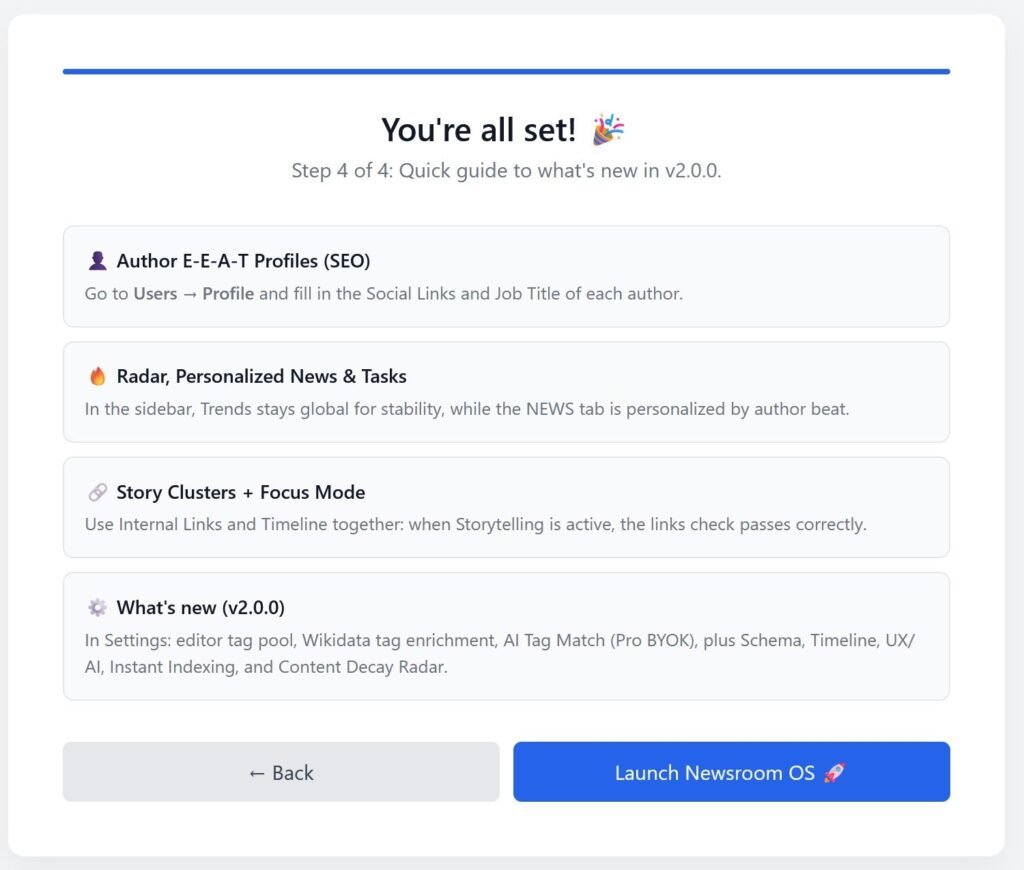
4-step wizard, Schema Engine & E-E-A-T profiles
Set up your entire newsroom in 60 seconds. Configure Schema markup type, organization details, Voice SEO, and author E-E-A-T profiles with job title, education, and expertise linked to Wikidata.
4 — STORY TIMELINE
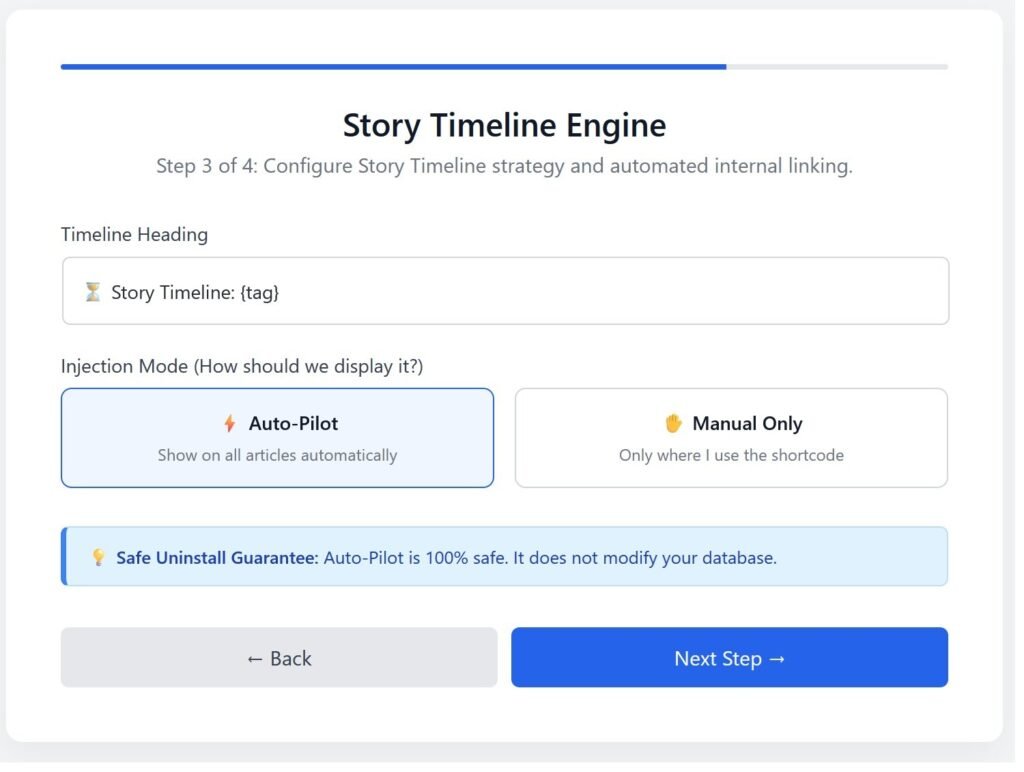
Auto-generated story clusters on your frontend
See how NewsOS automatically injects chronological Story Timelines into your articles and generates NewsArticle + CollectionPage JSON-LD Schema on every page — visible in the source code.
5 — SEO & WORKFLOW
Decision Engine scores your content in real-time
Watch the Publish Score jump from 0% to 30% as you type. SEO scanner finds missing meta descriptions. Task management with edit, delete, and completion tracking — all from one dashboard.
EDITORIAL WORKFLOW
Your Editor-in-Chief just got superpowers
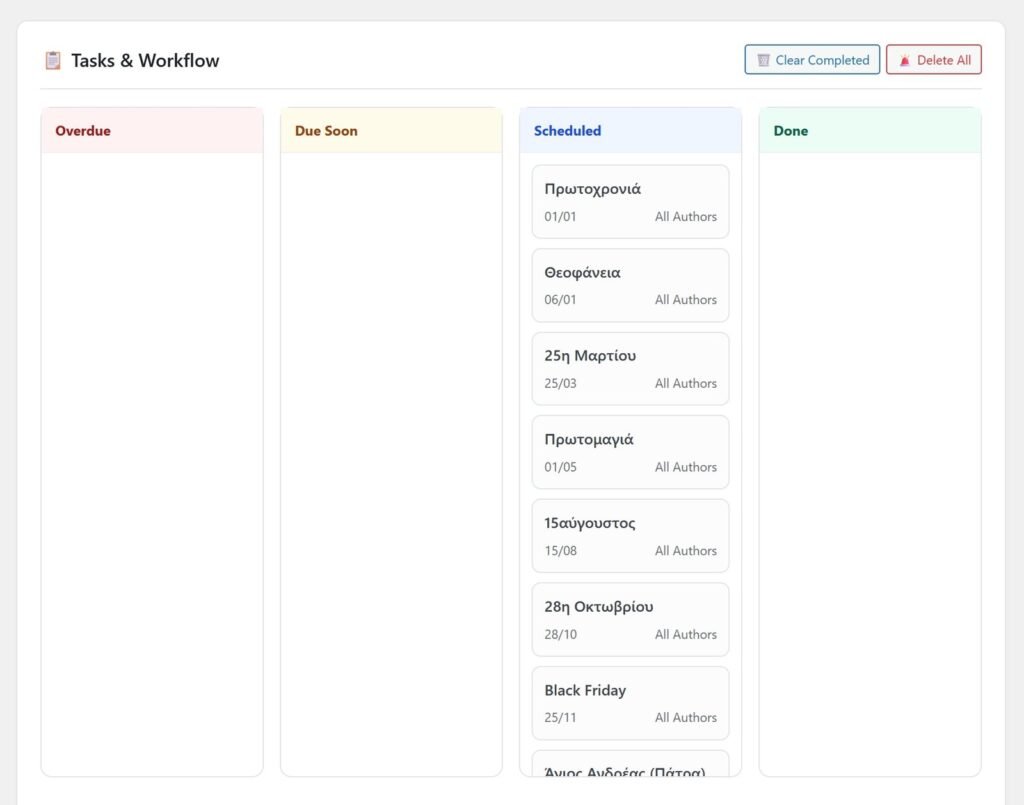
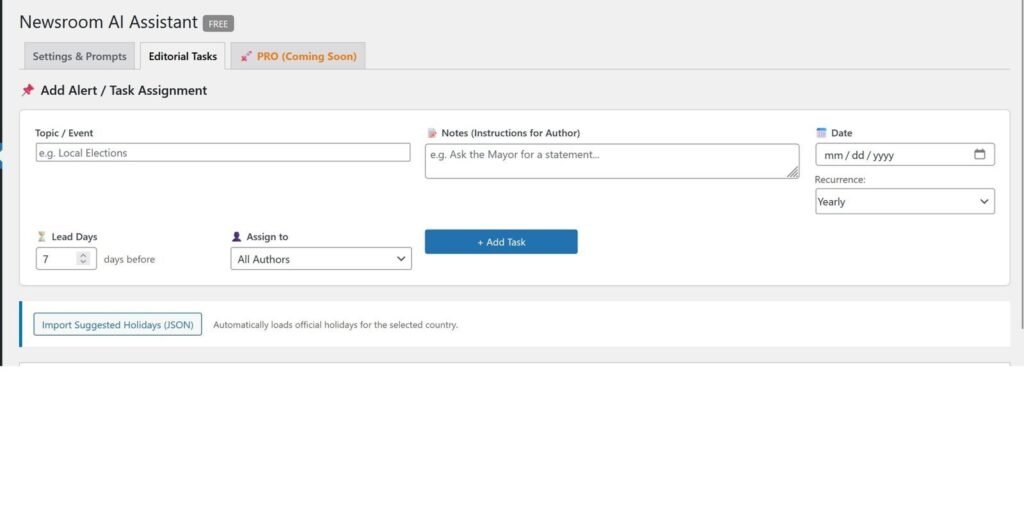
Assign stories with deadlines and keywords. Track who’s writing what. Monitor your entire newsroom from one dashboard — in real-time.
- Task Assignment: Deadlines, keywords, reference links, and briefings.
- Live Dashboard: See active, overdue, and completed tasks instantly.
- Competitor Watch: Live RSS feeds from competitors in your sidebar.
- SEO Auditor: Find posts with missing meta descriptions in one click.
FREE vs PRO
See what you unlock with PRO
The free version is powerful. PRO makes it unstoppable.
| Feature | Free | PRO 🚀 |
|---|---|---|
| Publication Readiness (Focus + Discover scores) | ✓ | ✓ |
| Editorial dashboard & task management | ✓ | ✓ |
| Breaking news mode + LiveBlog schema | ✓ | ✓ |
| NewsArticle JSON-LD + E-E-A-T profiles | ✓ | ✓ |
| Trend Radar, Smart Tags, archive links | ✓ | ✓ |
| My Inbox personal stats (Focus / Discover) | ✓ | ✓ |
| Google Search Console sync (Discover / News / Web) | — | ✓ PRO |
| Author Performance 2.0 (GSC + coaching tabs) | — | ✓ PRO |
| AI Assist (BYOK) — titles, optimize, tag match | — | ✓ PRO |
| Content Decay Radar | — | ✓ PRO |
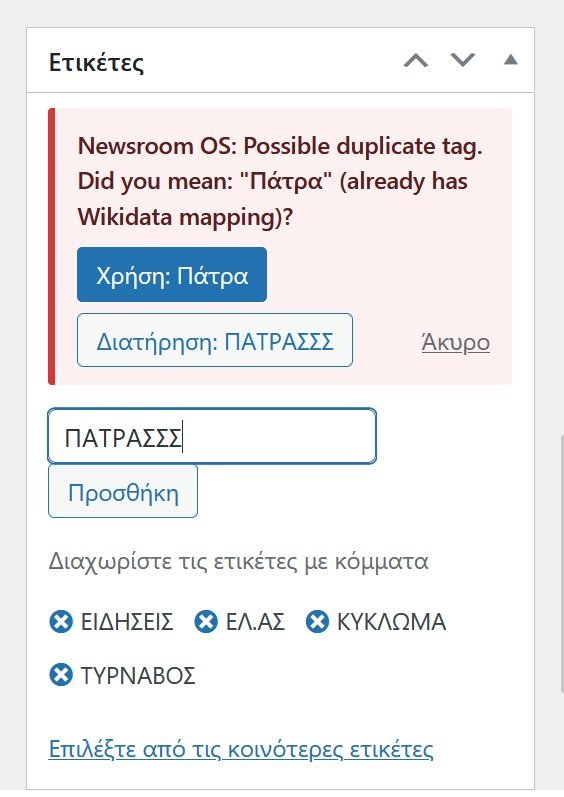
| Duplicate-tag guard | — | ✓ PRO |
| Instant Indexing API + IndexNow | — | ✓ PRO |
| Task threads + email alerts | — | ✓ PRO |
| Priority support & updates | — | ✓ PRO |
PRICING
Simple, transparent pricing
One license key per site. Cancel anytime. 30-day money-back guarantee.
Free
Perfect for getting started
$0
forever free
- Editorial Dashboard
- Decision Engine
- Basic Schema Markup
- Story Timeline
- Google Trends & News
- E-E-A-T Profiles
- 1 Site
- Discover Score + Breaking mode
- 4-language UI (EL / EN / DE / ES)
⭐ MOST POPULAR
PRO
For serious editorial teams
€29 /month
or $233/year (Save 33%)
🔒 30-day money-back guarantee
- Everything in Free, plus:
- Google Search Console sync (2.0)
- Author Performance 2.0 dashboard
- AI Assist — titles, optimize, tag match
- Content Decay Radar
- Duplicate-tag guard
- Instant Indexing + IndexNow
- Task threads + email alerts
- Priority support
License key delivered instantly via email
Enterprise
Custom solutions for media groups
Custom
tailored to your needs
- Everything in PRO, plus:
- Custom AI model training
- SLA & dedicated support
- White-label options
- Custom integrations
🛡️
30-Day Money-Back Guarantee
Try NewsOS PRO risk-free. If it doesn’t transform your editorial workflow within 30 days, we’ll refund every cent. No questions asked.
FAQ
Frequently Asked Questions
🔍 Try it yourself — Live Demo
Explore the full NewsOS dashboard with sample data. No signup required.
Username: demo
Password: demo
Stop losing traffic. Start publishing like a newsroom.
Join 2,000+ publishers who transformed their WordPress into a professional newsroom. Start free, upgrade when you’re ready.
✅ No credit card required • 🔒 30-day money-back guarantee • 🌍 Used in 20+ countries
